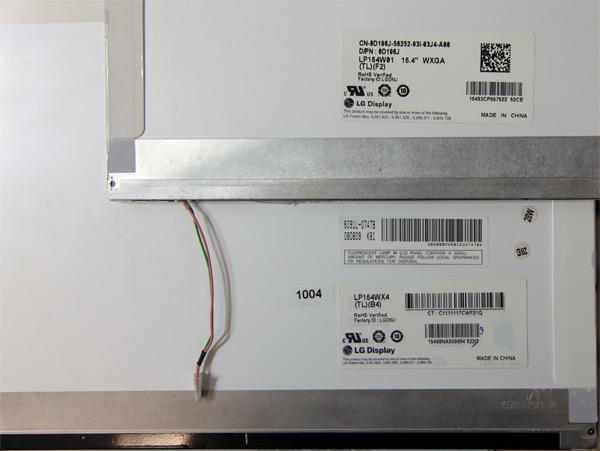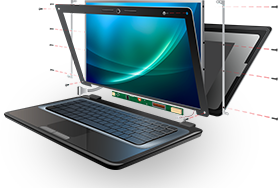
There are a few ways of ordering an LCD screen: using the laptop model number, the screen model, the manufacturer’s part number, and [not recommended] by following an advice found online on a forum, or elsewhere.
Just as everywhere else, there are good ways and bad ways.
1. Ordering by the laptop model number.
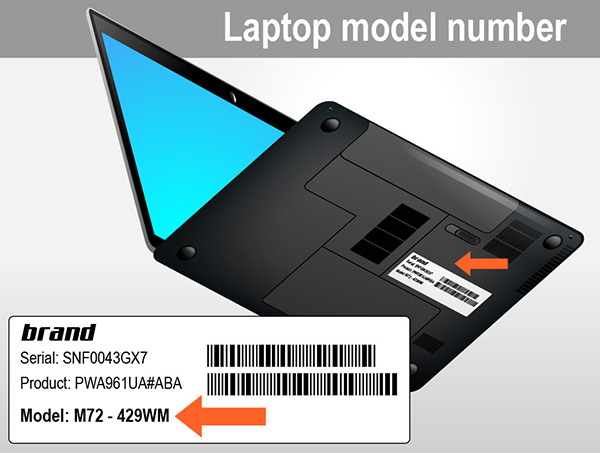
Most of the time, knowing the laptop model is enough to order the right part. However, some laptop manufacturers produce laptop models that have an option for a higher resolution, or in some cases, even a slightly different size screens – Dell Latitude E5540, or most if not all HP’s CTO (Custom-To-Order) laptops, for example.
Whenever you see an option for a different resolution or a different backlight type screen, it is always a good idea to check the LCD screen model number. The higher/lower resolution screen may not (and most likely will not) work properly, and may even damage your computer if you use a different resolution screen other than your original.
2. Ordering by the laptop screen (LCD) model number.
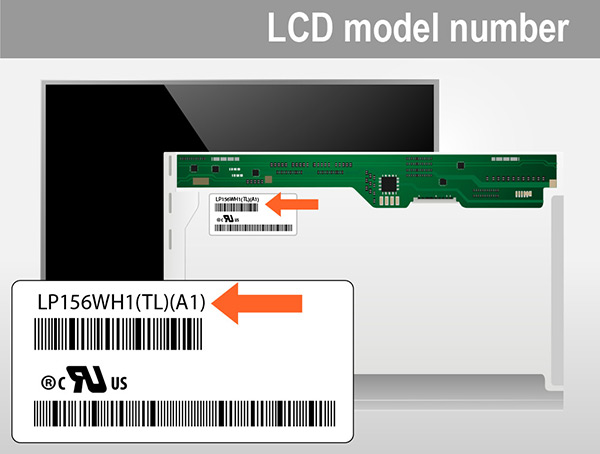
Every screen installed in any laptop has a screen model number on the back of the LCD screen. This is without a doubt the best way to order replacement screens. The model number denotes the size, the resolution and the backlight type. The only thing you may need to confirm is the location of the connector (for some 15.6″ and 17.3″ HP laptops), and the mounting tabs positioning for some smaller 10.1″ and 11.6″ netbooks.
3. Ordering by the manufacturer’s part number.

This is very similar to ordering by the laptop model number. The part number is commonly found in the owners manual, or by checking online by typing the product or the serial number on the manufacturer’s website. Some of our customers have reported that they were able to get the part numbers from the manufacturer.
But if your laptop screen was replaced or upgraded before, the part number on the LCD screen will not be accurate. In addition to that, we have witnessed cases when our customers have reported they have received wrong information about their machines when contacting the manufacturer; especially in cases when the laptop has more than one screen resolution or backlight type option.
4. Ordering by the information found online.

There are a lot of success stories when our customers were able to get the screen resolution upgraded by just swapping screens; but you have to understand that in order for the LCD screen resolution to be upgraded successfully, more often than not, you need to get a higher capacity cable (a dual-channel vs. a single-channel cable; not always relevant to the amount of pins on the cable); and make sure that the video card will be able to handle the higher resolution. For known working upgrades we provide an Upgrades Options button below a listing.
Whenever you are not sure what screen to order, please create a support ticket. If you create a ticket within our normal business hours, you should receive a response within a matter of minutes. A full laptop model number or an LCD screen model number is required to determine the correct part for you.
Copyright (©) LaptopScreen.com